 Refyard
What Refyard is
A local-first Git workbench that drives your machine's own git and never asks for a hosted copy of your repository.
Refyard is a Git workbench that runs on your machine, against your repositories, with
your git. It opens the repository where it already is — with your hooks, your filters,
your credential helpers and your SSH configuration — and gives it a graph you can read, a
working copy you can stage and commit from, and panels for branches, remotes, stashes, tags,
worktrees and submodules.
It is not a hosted service. There is no account, no upload step, and no central copy of your code. The one thing it fetches over the network is GitHub profile pictures for the author column, and that is a setting you can turn off.
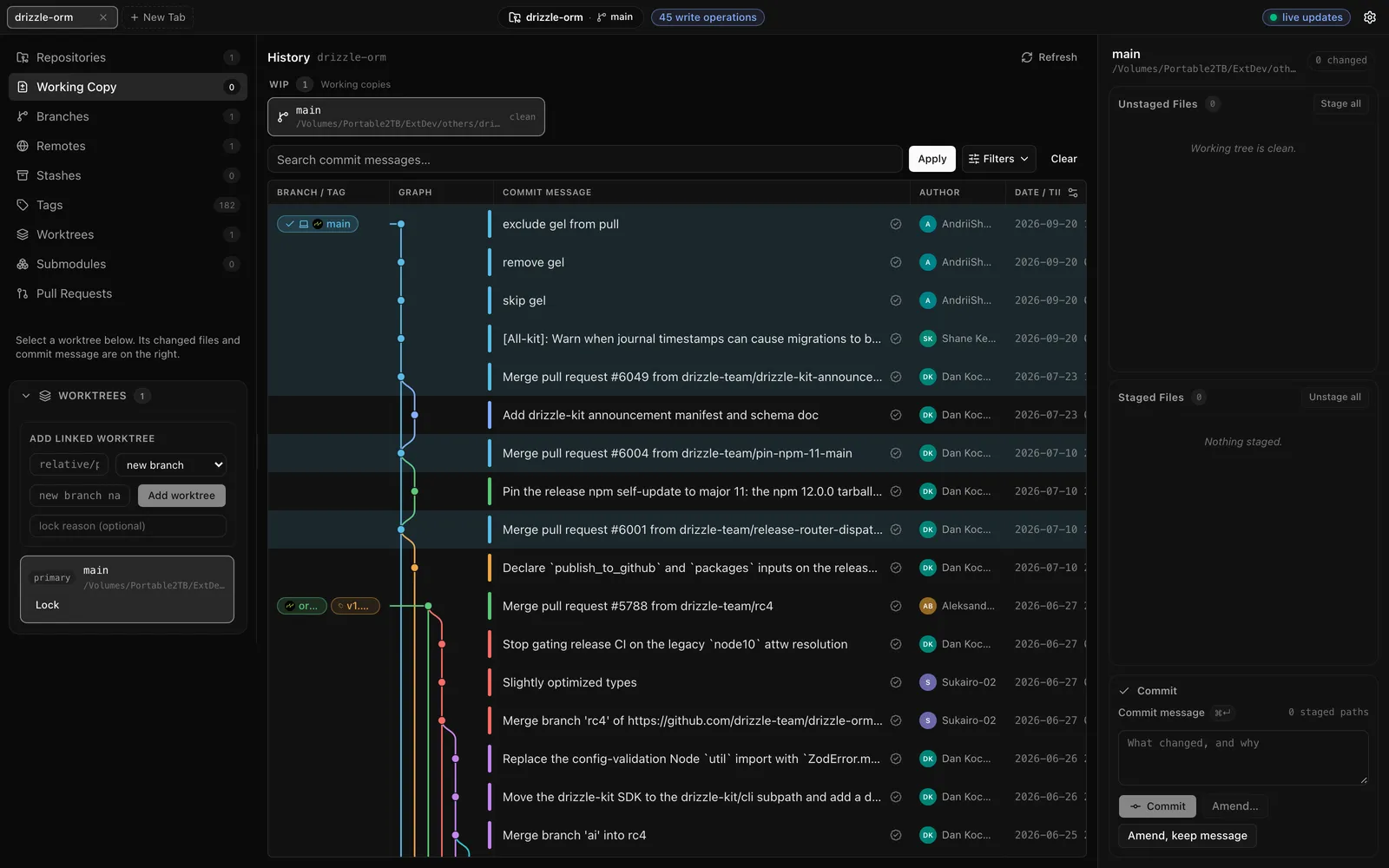
The history graph of a real repository — the host machine’s own git reads it, nothing
is uploaded.
Your git, not ours
Refyard builds Git commands and runs them as you. Signing, hooks, filters and
~/.ssh/config keep working because it is the same git your terminal uses.
Local by default
The browser form listens on loopback only, authenticates every read as well as every write, and hands out access with single-use pairing tickets minted on trusted local channels.
One UI, several forms
A native desktop app, a local browser session, an optional hosted UI, and a VS Code webview — all rendering the same components against the same contract.
Honest about gaps
If a form cannot do something, it says so instead of pretending. Unknown outcomes are reported as unknown, never as success.
A closer look
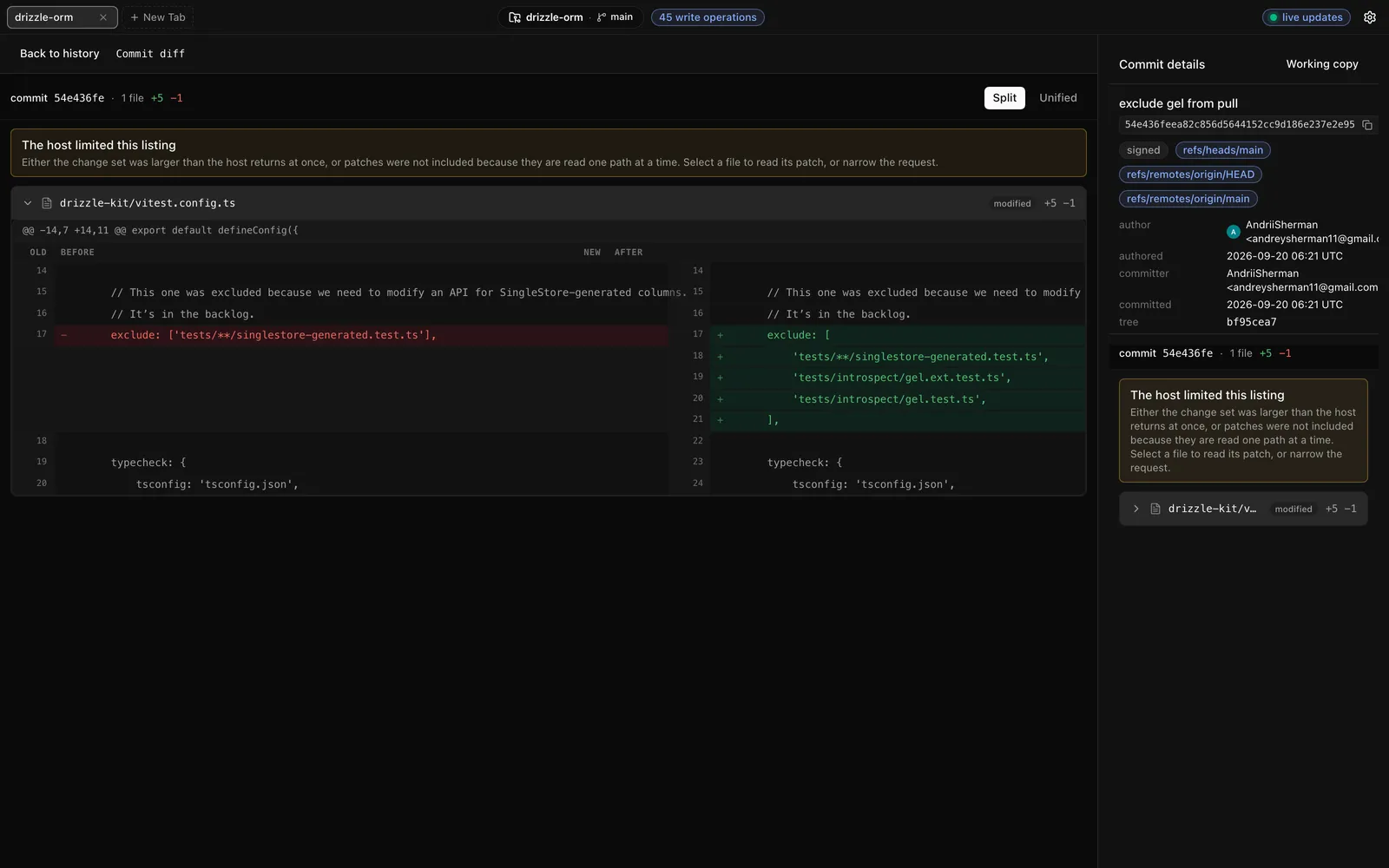
Selecting a commit opens its diff in the main workspace; patches are read one file at a
time against the host’s git.
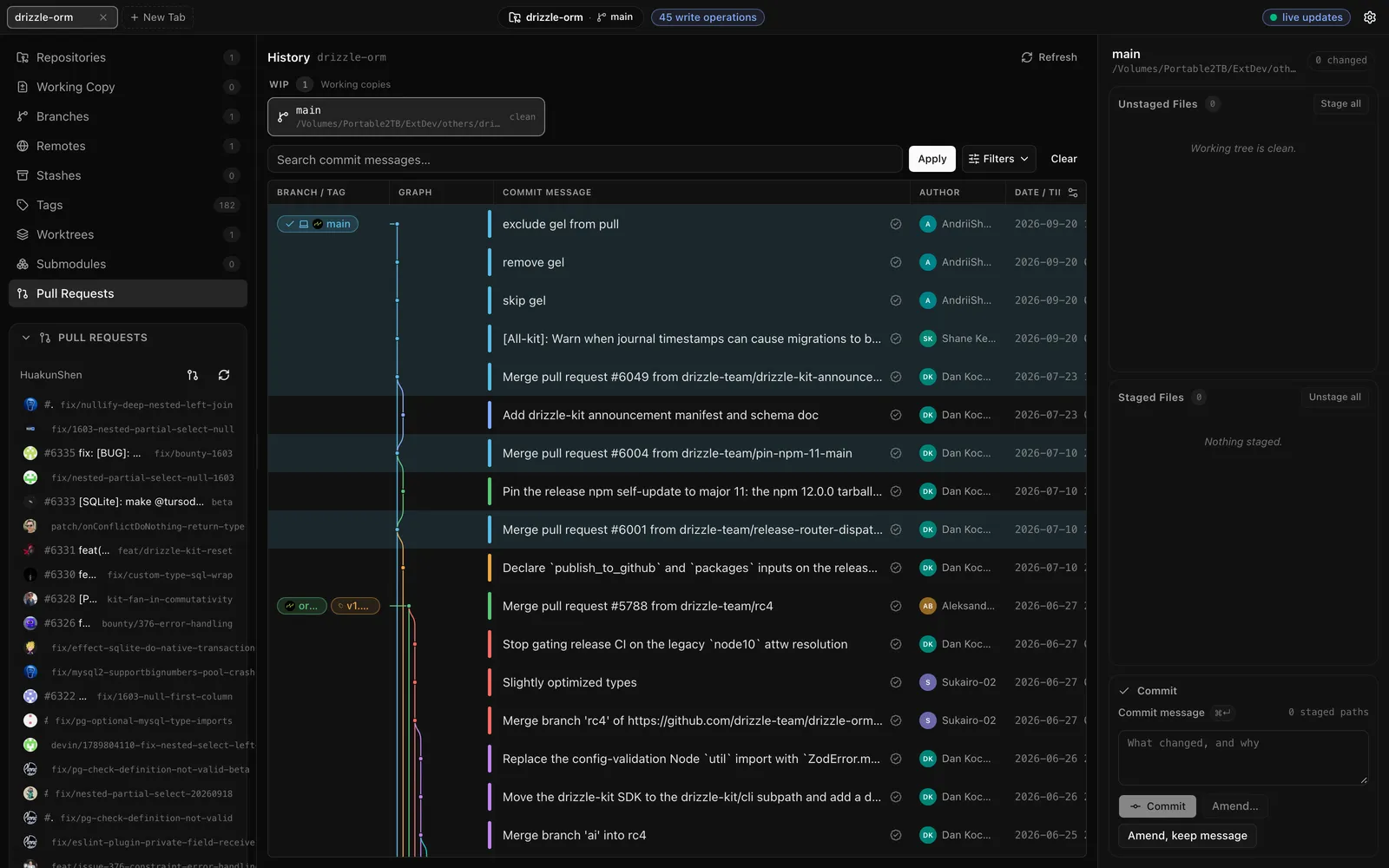
The GitHub panel: connect once and open pull requests appear next to the history — the token stays on the machine, the browser never sees it.
Where to go next
- Install — the desktop app, or
npxfor the CLI. - First session — open a repository and pair a browser.
- History and the graph — what the main view shows.
- What Refyard will not do — the safety rules, stated plainly.